
A WordPress plugin that creates access control for password protected company pages with customizable forms for secure data collection.
Features
- Role-Based Access Control: Company users can only access their assigned pages
- User Management: Create and manage company users with specific page assignments
- Customizable Forms: Build custom forms with various field types using the built in form fields or your own form shortcode.
- Logo Upload: Add company logos to company pages
- Email Notifications: Automatic email notifications for form submissions
- Form Submissions Storage: Store and display form submissions using WordPress custom fields
- Inline Login Form: Direct login form on restricted pages
- Responsive Design: Mobile-friendly interface
- Security: Built-in security measures and validation
Usage
Creating a Company Page
- Navigate to Company Pages: Go to
Company Pages > Add Newin your WordPress admin - Set Basic Information:
- Enter a title for your company page
- Add any content you want to display after access verification
Configure Page Settings:
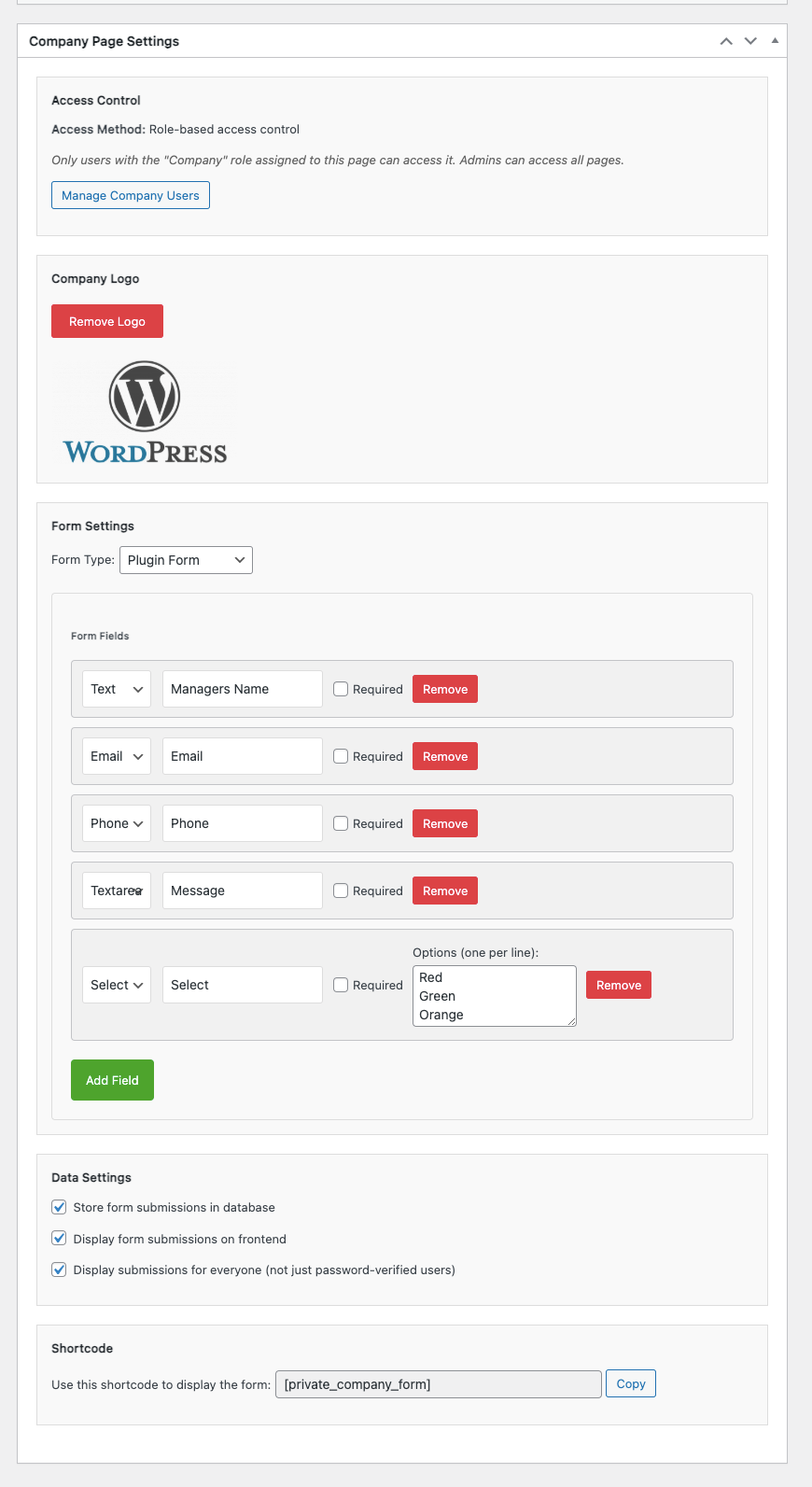
- Company Logo: Upload your company logo (optional)
- Logo Width: Set custom width for the logo
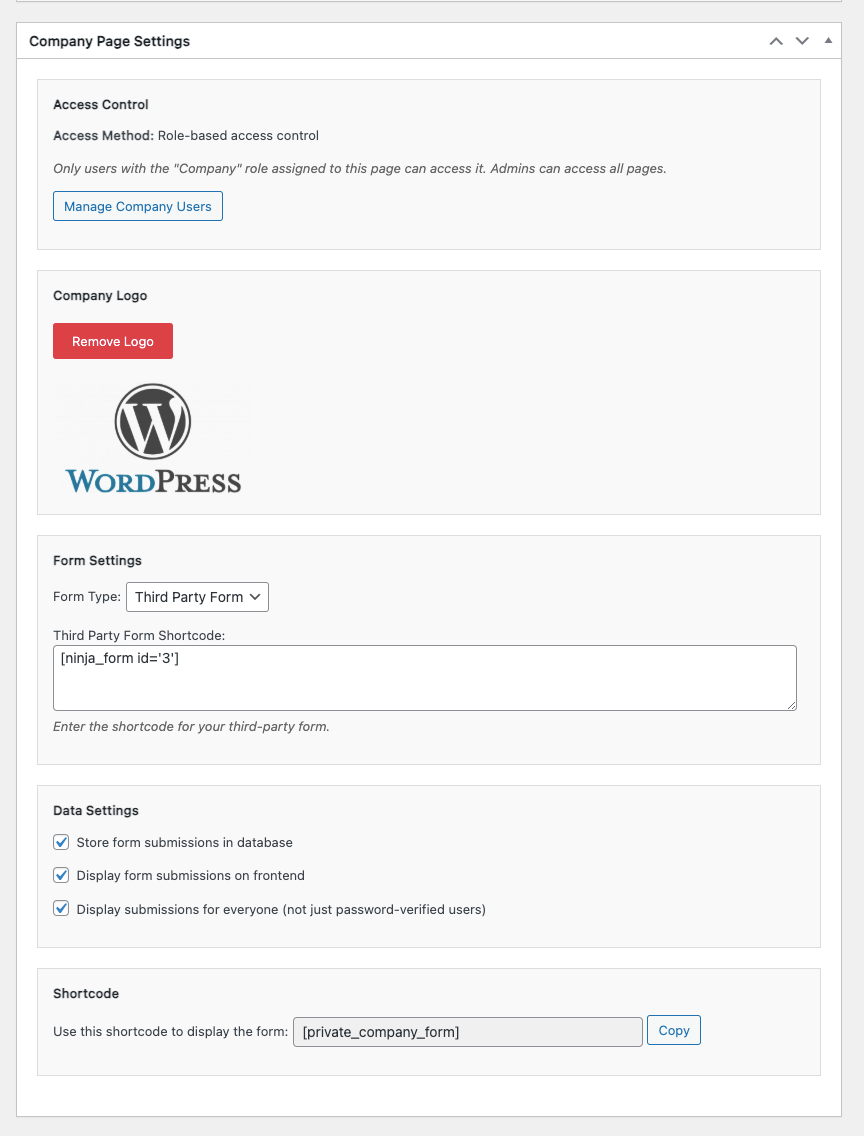
- Form Type: Choose between plugin form or third-party form
- Store Data: Enable/disable storing form submissions
- Display Submissions: Show form submissions on the frontend
Build Your Form:
- Add form fields using the form builder
- Choose field types: Text, Email, Phone, Textarea, Select
- For Select fields, add options (one per line)
- Mark fields as required if needed
- Reorder fields by dragging them
- Add the Form: Include the
[private_company_form]shortcode in your page content - Publish: Publish your page
Managing Company Users
- Navigate to Company Users: Go to
Company Pages > Company Usersin your WordPress admin - Create Company User:
- Enter username and email
- Assign to a specific company page
- System will generate a secure password
- Login credentials will be emailed to the user
Manage Users: View and delete existing company users
Form Field Types
- Text: Single-line text input
- Email: Email address with validation
- Phone: Phone number with validation
- Textarea: Multi-line text input
- Select: Dropdown selection (options can be added)
Shortcode Usage
Use the [private_company_form] shortcode in your page content to display the form. The shortcode will automatically use the form configuration from the current company page.
Third-Party Forms Support
The plugin supports integration with popular form plugins like Ninja Forms, Gravity Forms, and Contact Form 7.
Using Ninja Forms
- Create Your Form: Build your form using Ninja Forms in the WordPress admin
- Get the Shortcode: Copy the Ninja Forms shortcode (e.g.,
No Fields Found.) - Configure Company Page:
- Set Form Type to “Third-Party Form”
- Paste the Ninja Forms shortcode in the Third-Party Form field
- Enable Display Submissions if you want to show form submissions on the page
Add to Page: Include the [private_company_form] shortcode in your page content
Features with Third-Party Forms
- Automatic Styling: The plugin applies consistent styling to third-party forms
- Submission Display: When enabled, form submissions are displayed using the plugin’s styling
- Access Control: Third-party forms respect the same access control as plugin forms
- Responsive Design: Forms are automatically styled to be mobile-friendly
Supported Form Plugins
- Ninja Forms: Full API integration for displaying submissions
- Gravity Forms: CSS styling support
- Contact Form 7: CSS styling support
Security Features
- Role-Based Access Control: Company users can only access their assigned pages
- WordPress User System: Uses WordPress’s built-in user authentication
- Form Validation: Client-side and server-side validation
- Nonce Verification: CSRF protection for all AJAX requests
- Input Sanitization: All user input is sanitized and validated
- Capability Checks: Proper WordPress capability verification
Reviews
There are no reviews yet.