
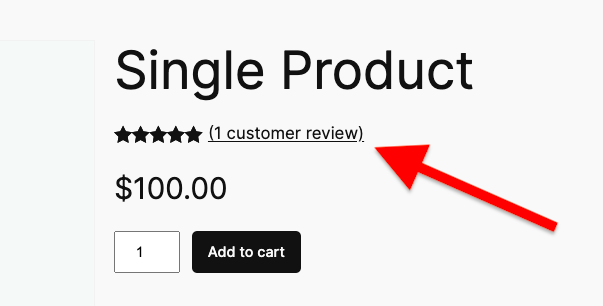
By default, WooCommerce displays review count text in a specific format like “(1 customer review)” or “(5 customer reviews)” in the product rating block. This guide shows you how to customize this text using the Custom Reviews Text for WooCommerce plugin.
Step 1 : Configure Global Settings
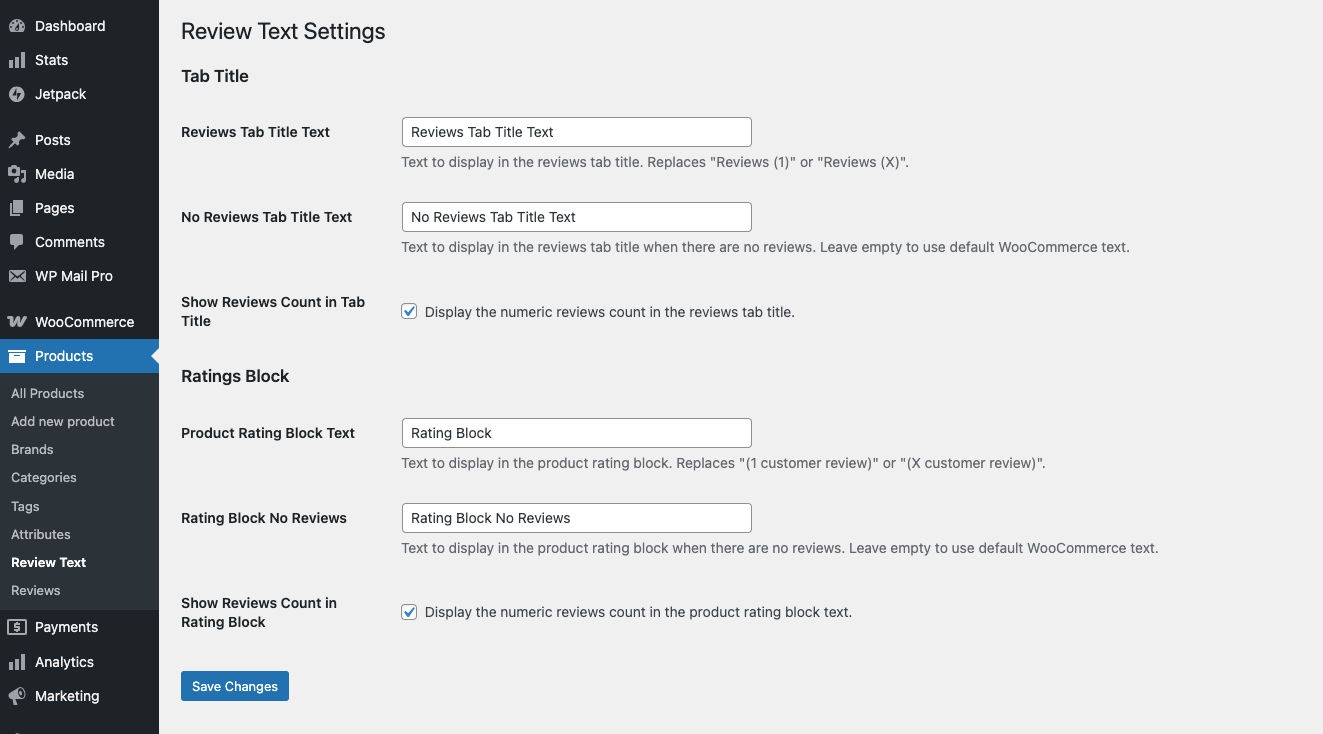
Navigate to Products > Review Text in your WordPress admin dashboard.
In the Review Text settings page, under the “Ratings Block” section, you’ll find:
- Product Rating Block Text: Controls the text in the product rating block (default: “Customer reviews”)
- Rating Block No Reviews: Text shown when a product has no reviews (leave empty to use WooCommerce default)
- Show Reviews Count in Rating Block: Checkbox to display the review count before the text (e.g., “5 Customer reviews”)
Enter your desired text in the fields and configure the count display option, then click “Save Changes”. These settings will apply to all products by default.
Step 2 : Customize Per Product (Optional)
For individual products, you can override the global setting:
- Edit any product in WordPress
- In the Product Data section, click the “Review Text” tab
- Under the “Ratings Block” section, configure:
- Product Rating Block: Enter custom text (or leave empty to use global setting)
- Rating Block No Reviews: Enter custom text for when there are no reviews
- Show Count in Rating Block: Checkbox to override global count display setting
4. Update/Publish the product.
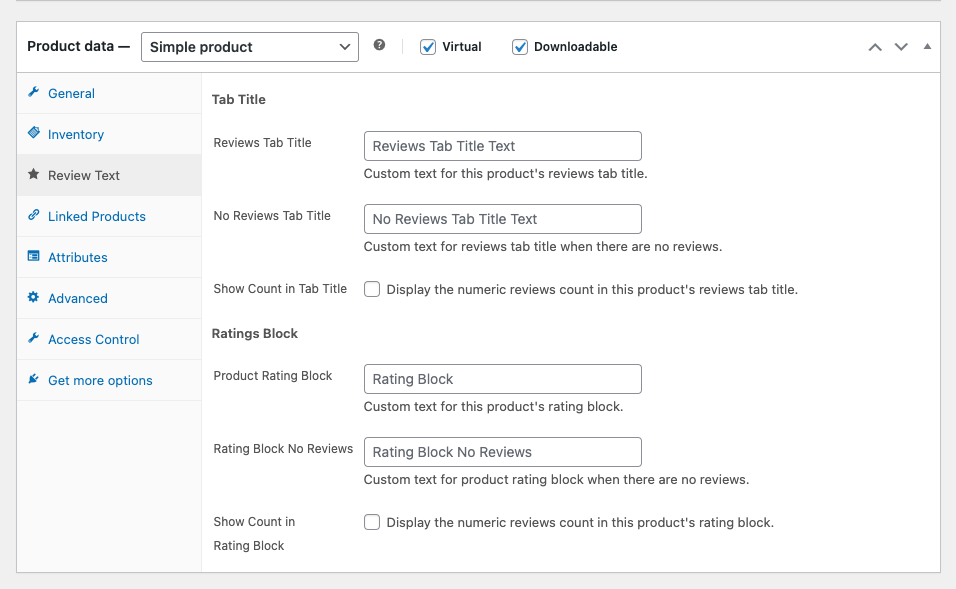
The per-product settings take priority over the global settings. When “Show Count in Rating Block” is enabled, the count appears before the text (e.g., “5 Customer reviews”).
Leave a Reply
You must be logged in to post a comment.