
This short tutorial with video shows you how to use a plugin to quickly fix broken links in WordPress. Ironically, i used the Better Search Replace plugin to replace broken download links i discovered after migrating from WPEngine to WordPress.com servers.
Remember to take a database backup first. On top of this, i tested the plugin out locally as well using Download Monitor with a broken download link.
Here’s the broken link in download monitor :
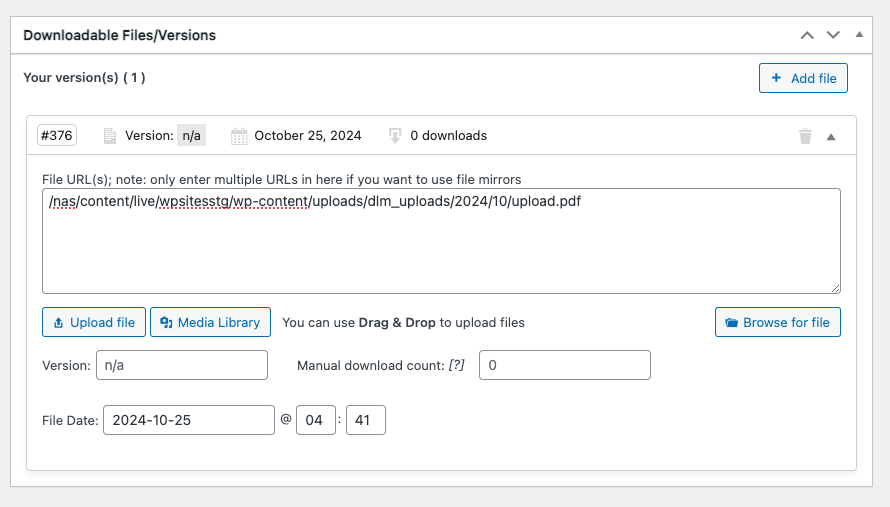
And here’s the plugin settings i used to fix it replacing :
/nas/content/live/wpsitesstg/with
https://wpsites.net/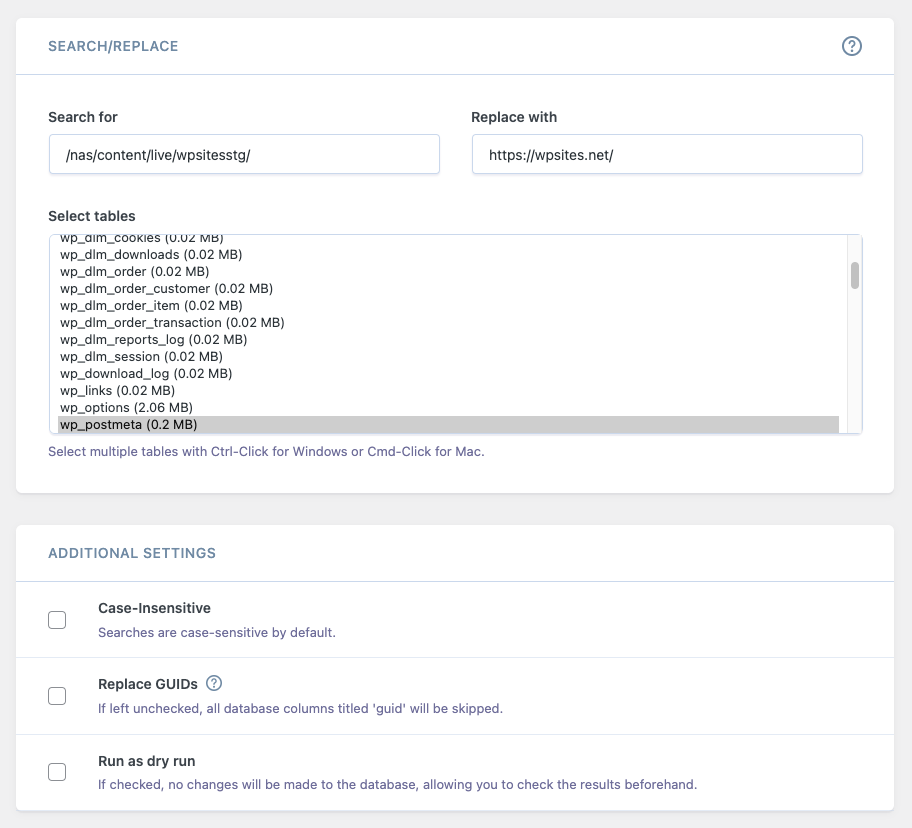
Make sure you select and highlight the correct table so it changes to light blue before clicking the Run Search/Replace button.
There where 14 broken download links in total. I believe this happened after mapping wpcomstaging.com to wpsites.net as i had published these links after migrating to staging but before the domain mapping to the primary address wpsites.net.
Leave a Reply
You must be logged in to post a comment.