
By default, Genesis Blocks wraps the featured image ( as seen in the following images ) in the gb-block-post-grid-image class when using the Genesis Post & Page Grid block.
If you want to remove this class and replace it with your own custom class ( in this example new-grid-image-class ), you can use PHP code in your child themes functions file or custom functions plugin which produces what you see in the image on the right :
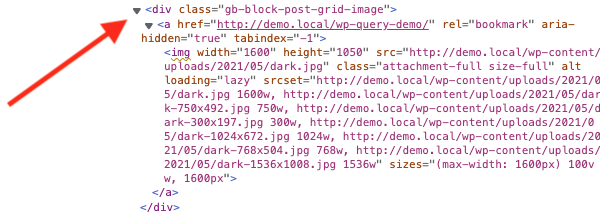
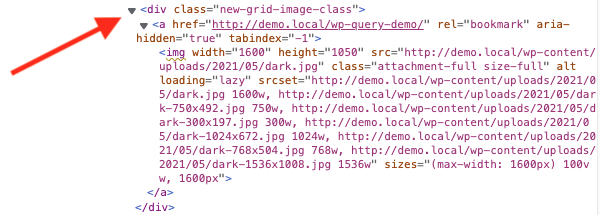
These 2 images show the HTML output is exactly the same before adding the code, the only change being the name of the class.
Demo Video
Shows the default CSS class wrapping the Genesis Post & Page Grid removed and replaced with a new custom class.
Tested using the free Genesis Sample child theme by StudioPress using the free Genesis Blocks plugin. Also tested using the Genesis Blocks Pro plugin, free for StudioPress Pro Plus Package members.
Code Installation
There’s only 1 step :
Copy & paste the PHP code ( without the opening PHP tag ) to the end of your child themes functions.php file or custom functions plugin.
Leave a Reply