
A plugin for awarding and managing customer credits, including subscription-based credit allocation, minimum cart total credit allocation and customer credit-based usage when purchasing.
Features
Core Functionality
- Credit System: Complete credit management system with transaction tracking
- Subscription Integration: Automatic monthly credit allocation for subscribers
- Spend-Based Credits: Award credits based on customer purchases
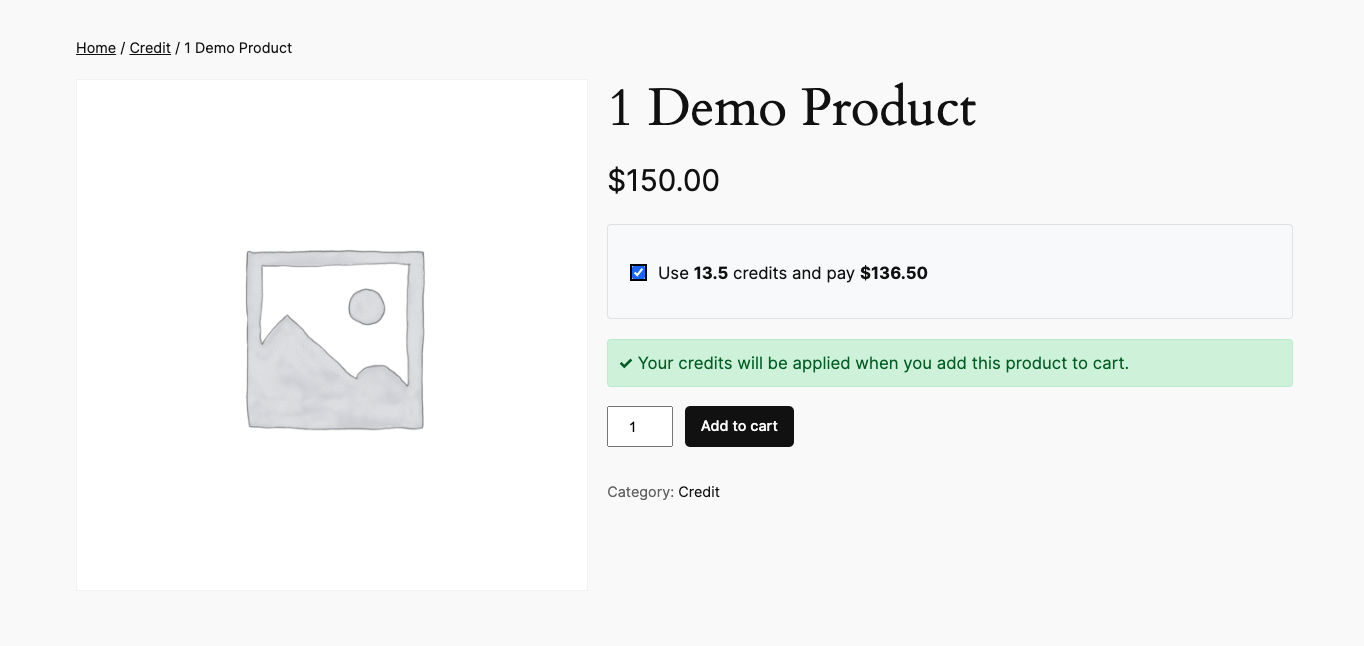
- Credit Payments: Allow customers to pay for products using credits
- My Account Integration: Custom “Credits” tab in WooCommerce My Account area
- HPOS Compatible: Full compatibility with WooCommerce High-Performance Order Storage
Admin Features
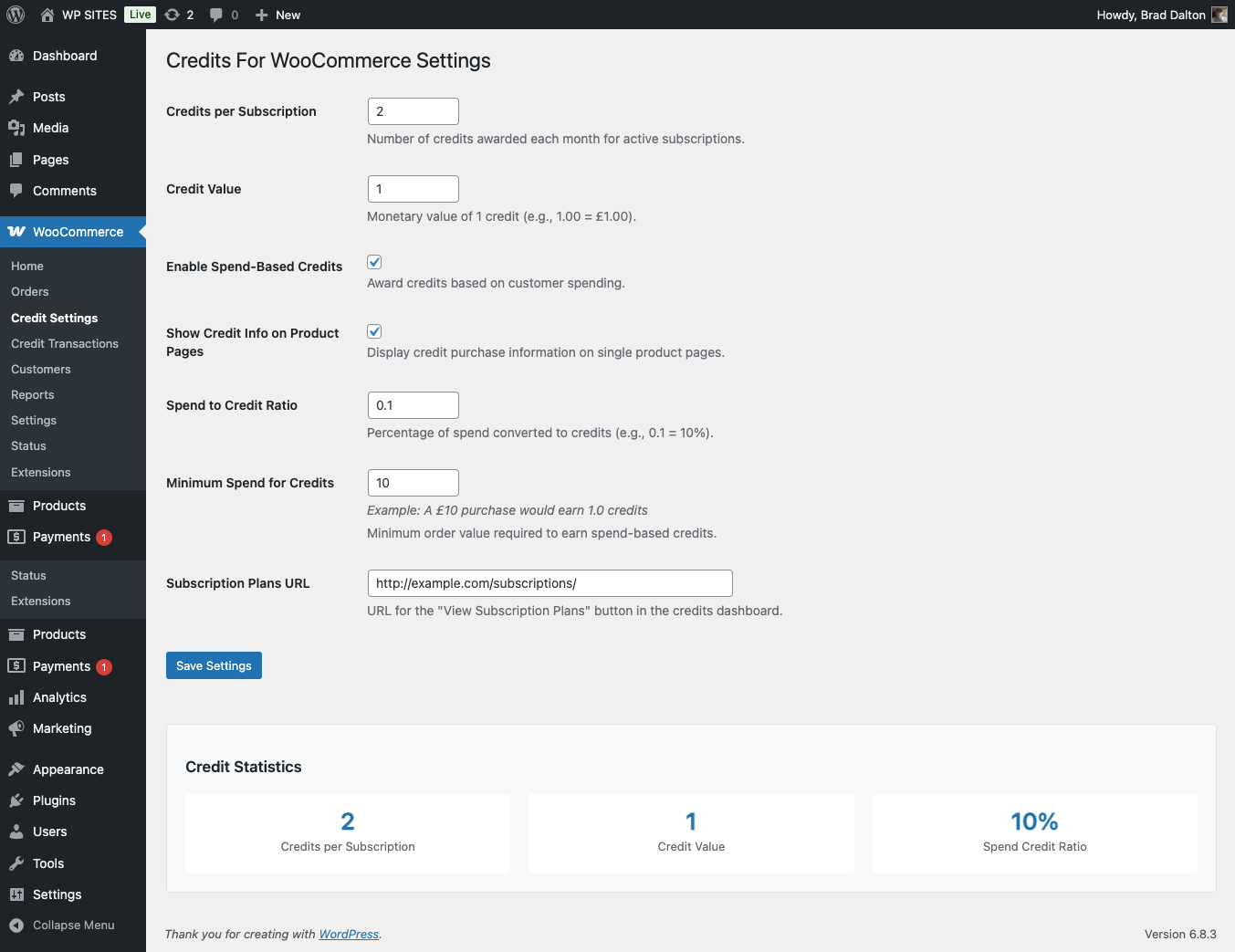
- Settings Page: Configure credit values, subscription credits, and spend ratios
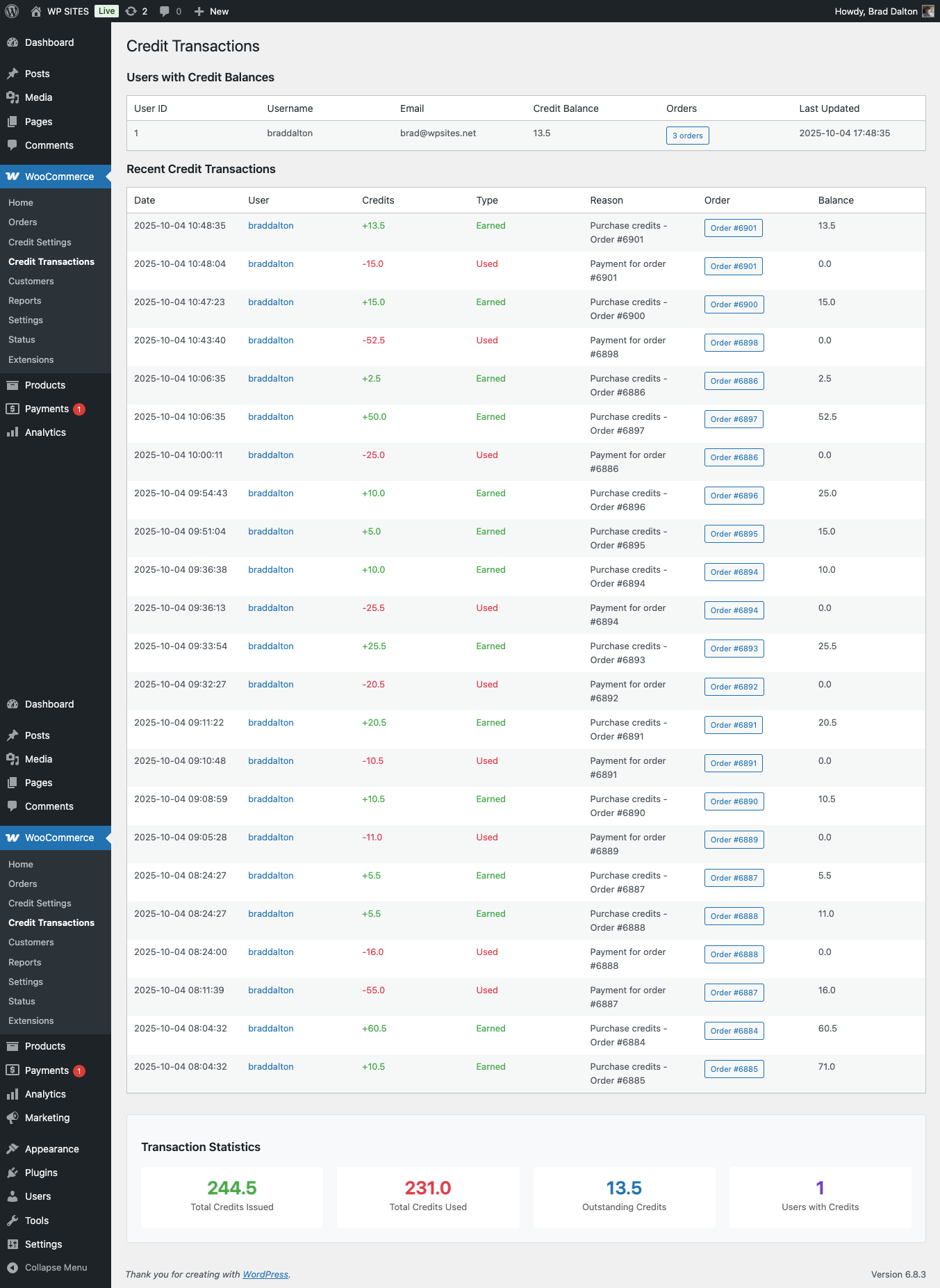
- Transaction Management: View and manage all credit transactions
- User Credit Balances: Monitor customer credit balances
- Statistics Dashboard: Track total credits issued and outstanding balances
- Custom Subscription URL: Configure “View Subscription Plans” button destination
Customer Features
- Credit Dashboard: Beautiful, responsive credit dashboard in My Account
- Credit Balance Display: View current credit balance and monetary value
- Transaction History: Complete transaction history with pagination
- Credit Purchase Options: See credit pricing alongside regular prices
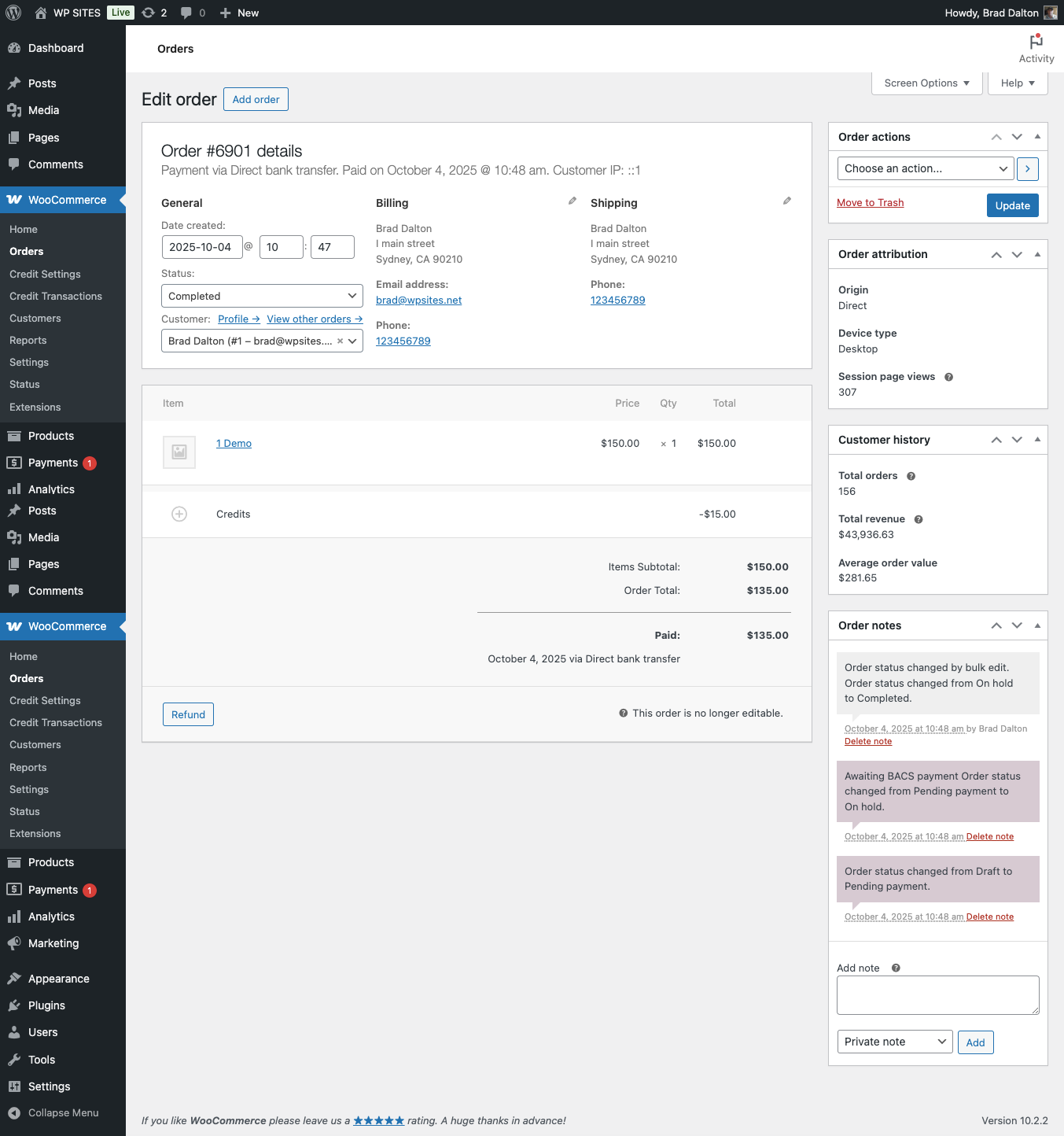
- Checkout Integration: Pay with credits at checkout
- Subscription Benefits: Automatic monthly credit allocation
- Mobile Responsive: Optimized for mobile and desktop viewing
Installation
- After plugin installation and activation, go to WooCommerce > Credits to configure the plugin settings.
Configuration
Basic Settings
- Credits per Subscription: Number of credits awarded each month for active subscriptions
- Credit Value: Monetary value of 1 credit (e.g., 1.00 = £1.00)
- Enable Spend-Based Credits: Toggle to award credits based on purchases
- Spend to Credit Ratio: Percentage of spend converted to credits (e.g., 0.1 = 10%)
- Minimum Spend for Credits: Minimum order value required to earn spend-based credits
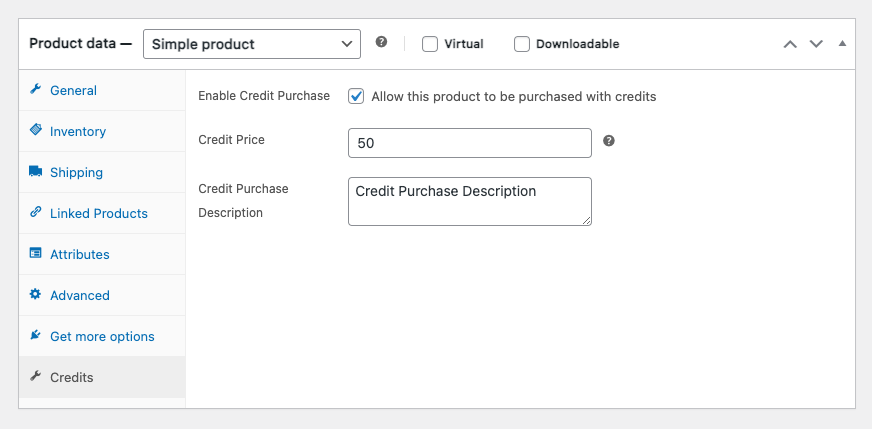
Product Configuration
For each product, you can:
- Enable credit purchases
- Set a credit price (number of credits required)
- Add a description for credit purchase option
Subscription Products
For subscription products, you can:
- Override global credit settings
- Set custom credits per billing period
- Configure subscription-specific credit amounts
Supports WooCommerce Subscriptions and most other subscription plugins for WooCommerce.
Usage
For Customers
- View Credits: Go to My Account > Credits to see your balance and transaction history
- Credit Dashboard: Beautiful, responsive dashboard showing:
- Current credit balance with monetary value
- Transaction history with dates and descriptions
- Subscription benefits and next credit award date
- How credits work information
3. Earn Credits
- Subscribe to monthly plans for automatic credit allocation
- Make purchases to earn spend-based credits
4. Use Credits: Select “Pay with credits” at checkout when you have sufficient balance
For Administrators
- Monitor Credits: Go to WooCommerce > Credit Transactions to view all credit activity
- Configure Settings: Use WooCommerce > Credits to adjust:
- Credits per subscription (default: 2)
- Credit value (default: £1.00 per credit)
- Spend-based credit ratio (default: 10%)
- Minimum spend for credits (default: £10.00)
- Subscription plans URL for “View Subscription Plans” button
3. View Statistics: See total credits issued, users with credits, and outstanding balances
4. User Management: View individual user credit balances and transaction history
Reviews
There are no reviews yet.