
A plugin that customizes the review count text format, changing default formats like “(1 customer review)” and “Reviews (1)” to custom text.
This plugin filters and modifies review count text throughout your WordPress site, including WooCommerce product reviews tab title and single product rating blocks. It provides separate customization for the reviews tab title and product rating block text, with both global and per-product settings.
Features
- Customizes review count text format in multiple locations
- Works with WooCommerce product reviews and blocks
- Global settings via Products > Review Text:
- Reviews Tab Title Text – controls the reviews tab title (global default)
- Product Rating Block Text – controls the product rating block text (global default)
- Per-product settings via Product Data > Review Text tab:
- Reviews Tab Title Text – per-product override
- Product Rating Block Text – per-product override
- Smart fallback: per-product settings override global settings when set
- Admin settings page under Products menu
- No code editing required – change format from WordPress admin
Installation
- After plugin activation, go to Products > Review Text to customize the format
- The plugin will automatically start filtering review count text
Customization
Global Settings (Products > Review Text)
Set default review text for all products:
- Navigate to Products > Review Text in your WordPress admin
- Configure the two custom fields:
- Reviews Tab Title Text: Controls text in the reviews tab title (replaces “Reviews (1)”)
- Product Rating Block Text: Controls text in the product rating block (replaces “(1 customer review)”)
3. Enter your custom text in each field
4. Click “Save Changes”.
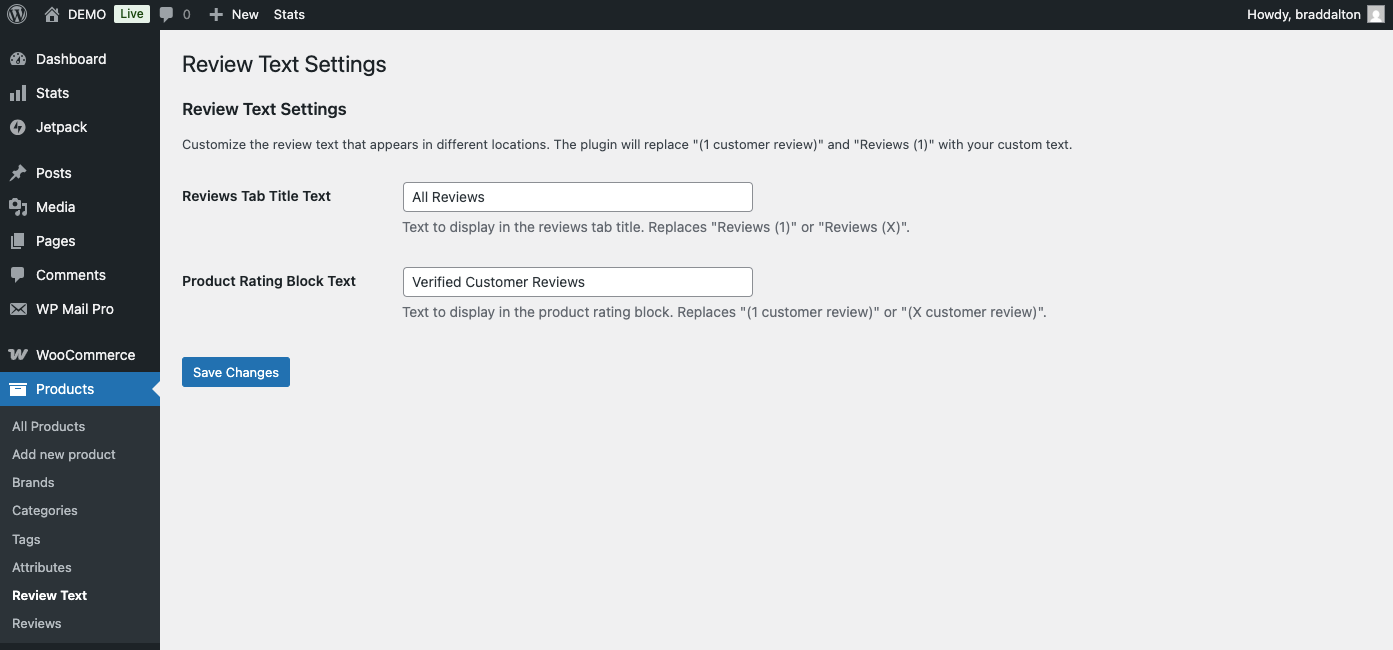
Per-Product Settings (Product Edit Page)
Override global settings for individual products:
- Edit a product in WordPress admin
- In the Product Data section, click the Review Text tab
- Configure the per-product fields:
- Reviews Tab Title Text: Custom text for this product’s reviews tab (leave empty to use global setting)
- Product Rating Block Text: Custom text for this product’s rating block (leave empty to use global setting)
4. Enter custom text or leave empty to use global defaults
5. Update/Publish the product.
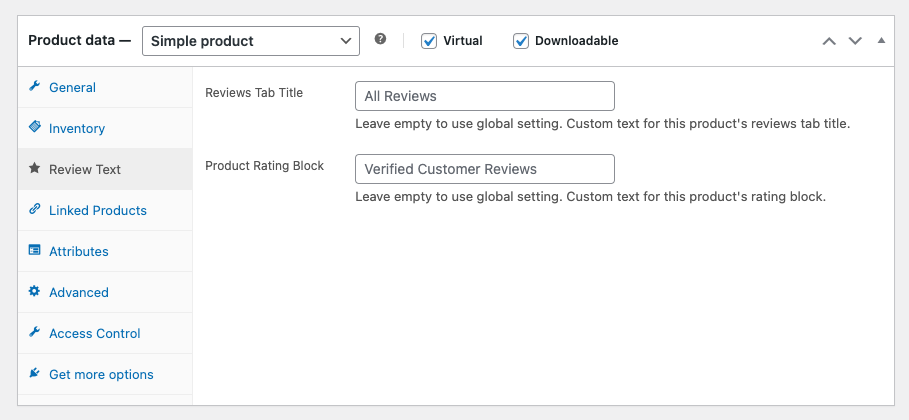
Default Values
- Reviews Tab Title Text: “Reviews” (replaces “Reviews (1)” or “Reviews (X)”)
- Product Rating Block Text: “Customer reviews” (replaces “(1 customer review)” or “(X customer review)”)
Priority
Per-product settings take priority over global settings. If a product has custom text set, it will use that. If the per-product field is empty, it falls back to the global setting.
Reviews
There are no reviews yet.